Publish to GitHub and install from the store
Exporting gives you a ZIP to carry around. Publishing puts the app in a repository the store can find. Build it once, publish it, and anyone can install it again, including you on another instance. The app then lives in the repository, not in the instance that built it.
Goal
By the end you will have stored a GitHub credential, published your app to a repository, found it back in the store, and installed it as a new app.
Prerequisites
- An app you own, with a version to publish.
- A GitHub fine-grained personal access token, scoped to the repositories you publish to. It needs exactly three repository permissions: Administration: Read and write to create the repository and set its topic, Contents: Read and write to push the app, and Metadata: Read-only, which GitHub requires. No issues, pull requests, workflow or account permissions.
- A credential broker that is enabled on the instance. Buildiq never holds the token: it asks the broker to make each GitHub call. Without it, Publish stays disabled and says so.
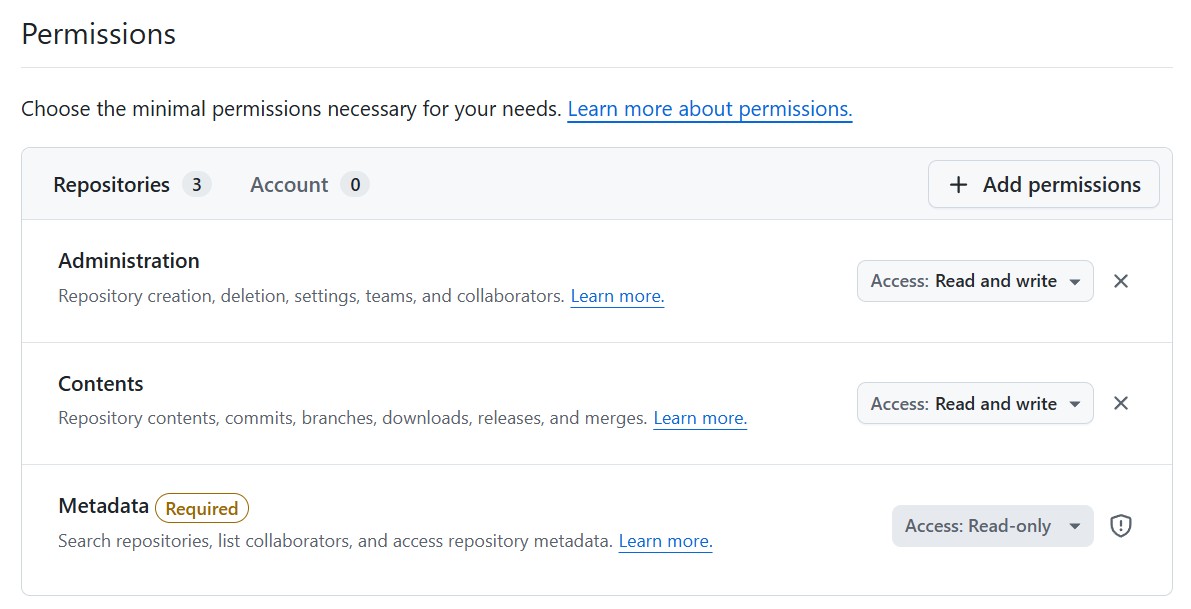
Read the steps below as the code's account of itself. Publishing has not been run end to end on a demo instance yet, because nobody has entered a token there. Get the three permissions right before you start, and the first run is the test.
Steps
-
Store the token. In Buildiq's left navigation, open Settings → Personal settings, then the Credentials section. It names what this app uses, the GitHub permissions above included. Click Add credential, choose GitHub, give it a Name and paste the token into Personal access token. The token goes to the vault and is never shown again. Buildiq is allowed to use it from that moment, and you can change that later.
-
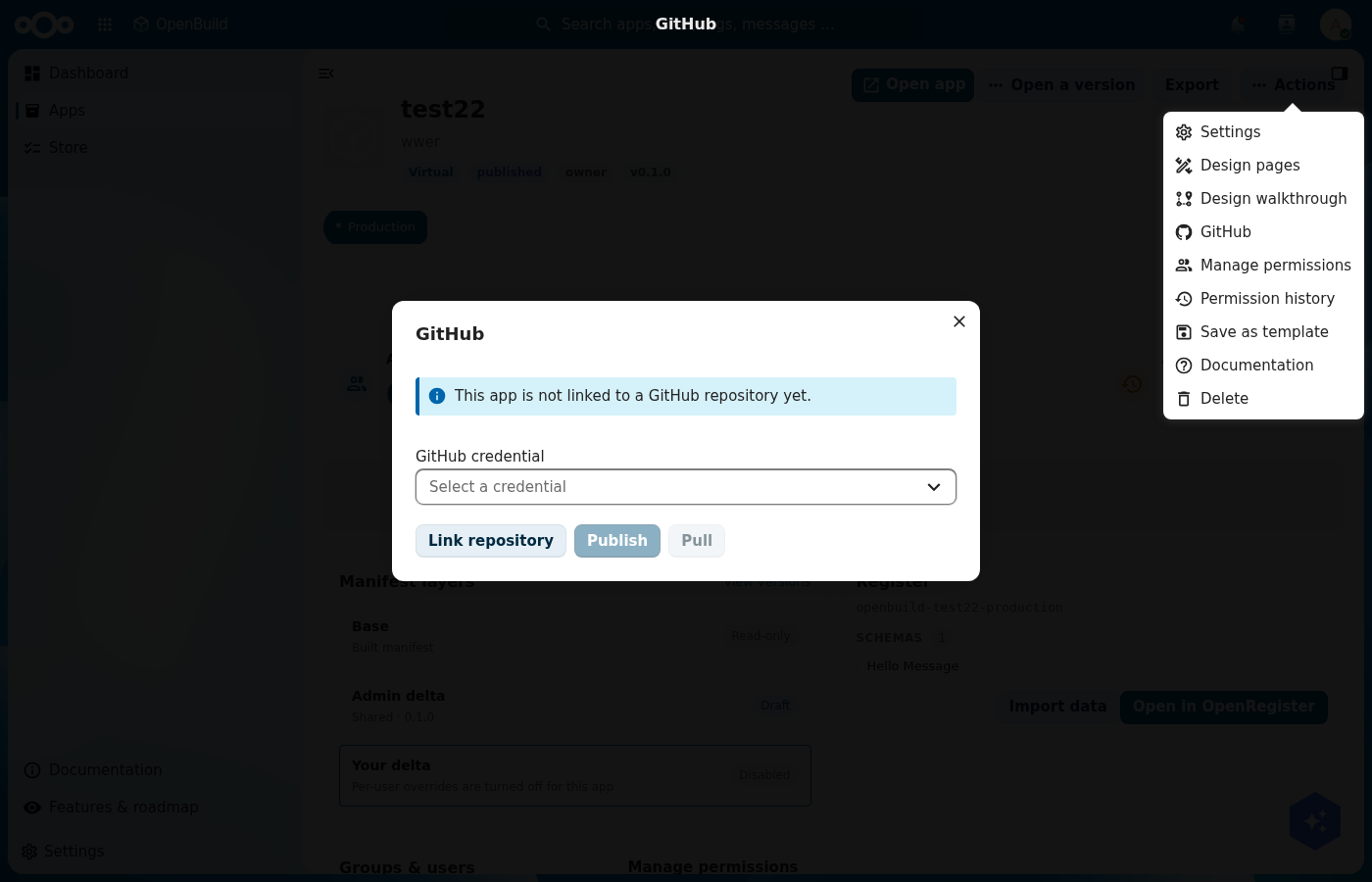
Open your app, then Actions → GitHub. Pick your credential in GitHub credential. If the app already lives in a repository, use Link repository and give the owner and the repository name. If it does not, skip straight to publishing: publish creates the repository for you.
-
Click Publish. For an app with no repository yet, the dialog asks for a Repository name and, optionally, an organisation to create it under. Pick the Version to publish, then confirm. Buildiq creates the repository, tags it with the
openbuild-apptopic, and commitsopenbuild-app.json,manifest.jsonandschemas/in one clean commit. Publishing only ever adds a commit. It never overwrites history. -
Go to Store. Below the built-in templates sits Apps on GitHub, with a search box. The store searches GitHub for the discovery topic and builds one installable card per repository from its
openbuild-app.json. Anonymous search sees public repositories; your credential raises the rate limit and reveals your private ones.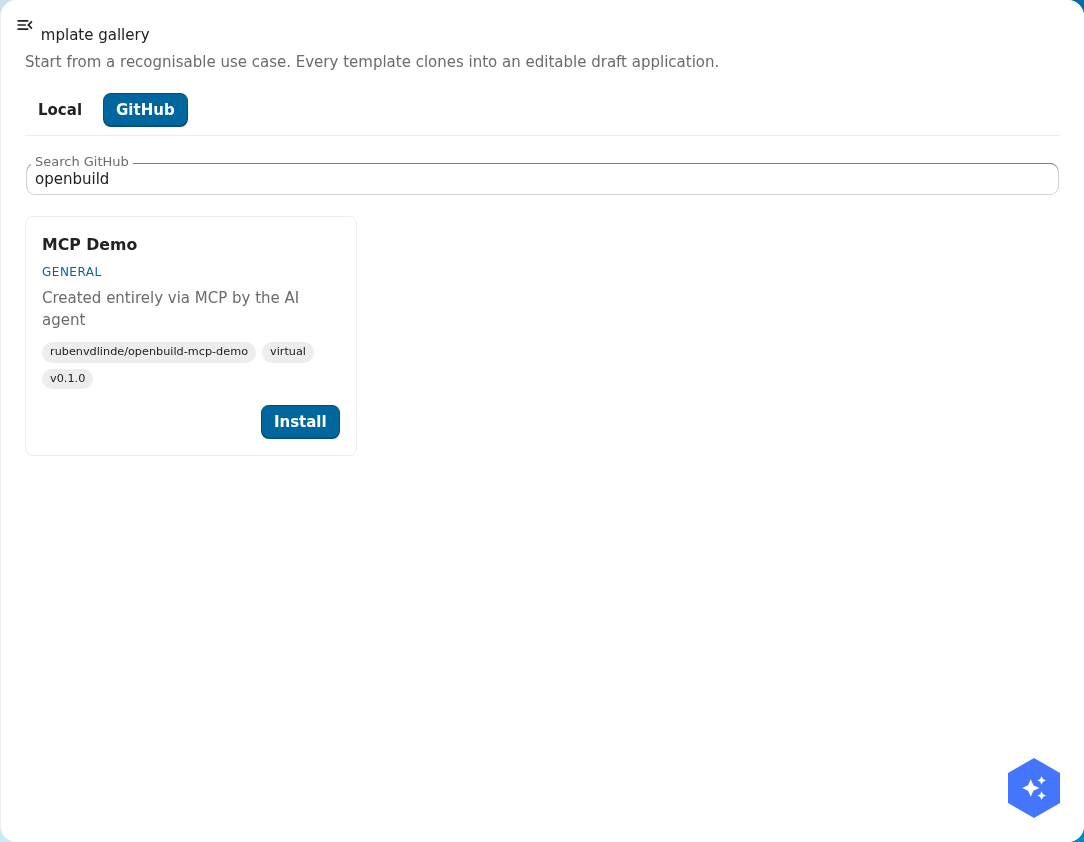
-
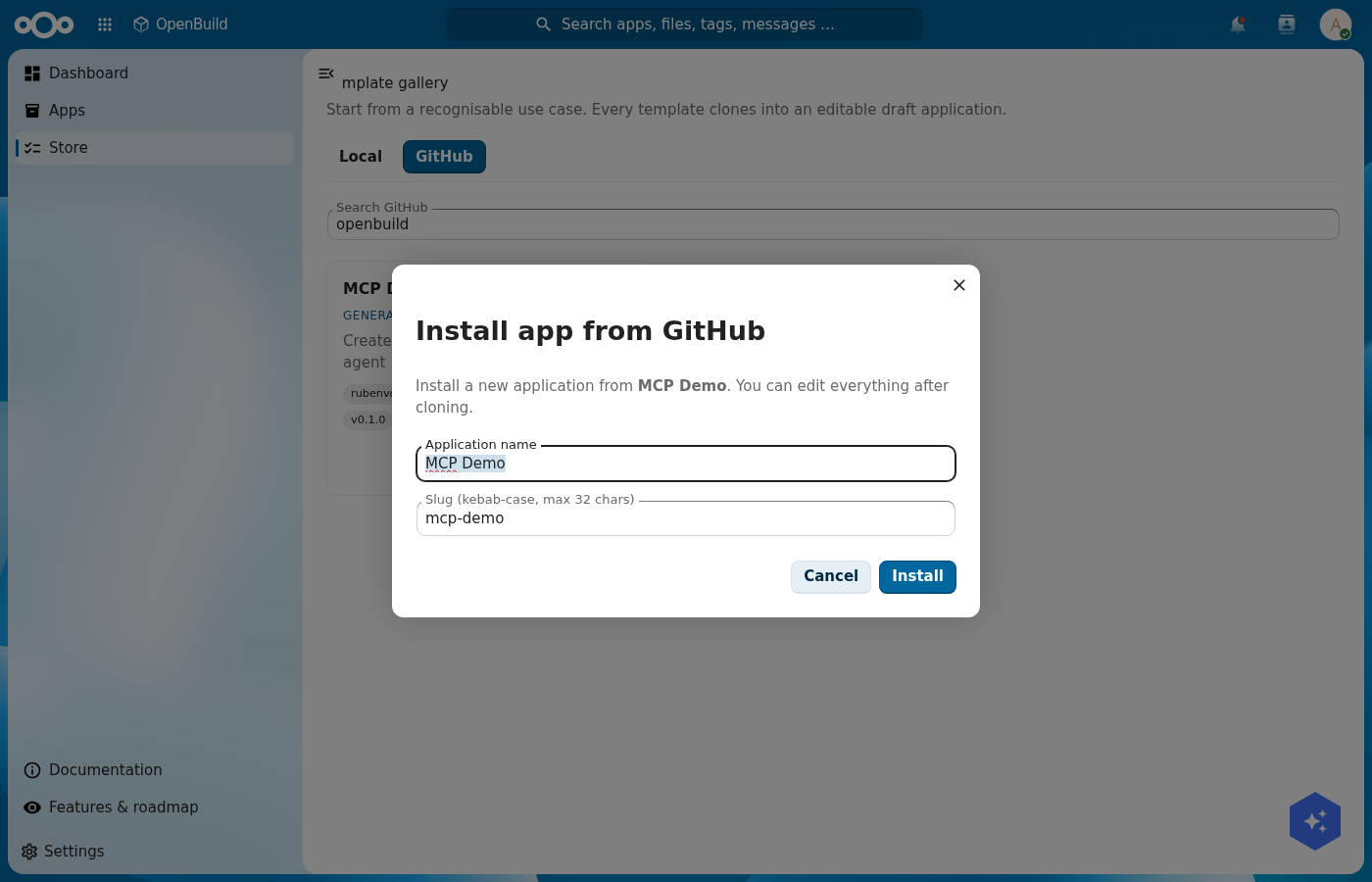
Click Install on the card. Give the new app an Application name and a Slug, then confirm. Buildiq parses the repository and clones it through the same path as any template, so what you get is an ordinary editable app, not a locked import.
-
To bring a change back later, use Pull in the same GitHub panel. Pull lands the repository in a new draft version beside your production one. Review it, then promote it through the normal version flow.
Verification
The round trip is good when the repository exists on GitHub with openbuild-app.json, manifest.json and schemas/, and carries the openbuild-app topic. The strongest test is the full circle: delete the app locally, search the store, and install it again. You get the same app back, because it now lives in the repository.
Common issues
| Symptom | Fix |
|---|---|
| Publish is disabled | Either no GitHub credential is selected, or the broker and its GitHub write rules are not enabled here. The hint under the picker says which. Pulling public repositories still works. |
| "The credential broker denied this publish." | The token is stored but the broker will not use it this way. Check the credential's allowed apps and its scopes against the three permissions above. |
| Your app is missing from the store | GitHub's public index lags a minute on a fresh repository, and anonymous search sees public repositories only. Add your credential and search again. |
| "The remote branch moved ahead." | Somebody pushed since your last sync. Pull first, which creates a draft, reconcile there, then publish again. Publish never forces. |
| "GitHub is rate-limiting this credential right now." | Wait and retry. Anonymous browsing hits the limit first, so a stored credential also helps here. |
| The install fails naming a file | The repository does not match the expected layout. The error names the file. Fix it in the repository and install again. |
Reference
- GitHub store, the repository format, the endpoints and the credential broker model.
- Export your app, the ZIP route, for moving an app without GitHub.
- Compare and roll back a version, a pull lands as a draft you promote.